Evotix 360 Release v2026.1
What’s new in v2026.1 and Roam 7.1?
Improved translation and localization tools for global deployments
To take advantage of these improvements, customers will need to upgrade to Evotix 360 v2026.1.
Highlights
1. A faster, more intuitive day‑to‑day mobile experience (Roam)
Roam becomes usable much earlier, even while background data continues downloading. This means frontline teams can open the app and begin completing forms immediately—rather than waiting for a full refresh—keeping work moving in the field and reducing startup friction.
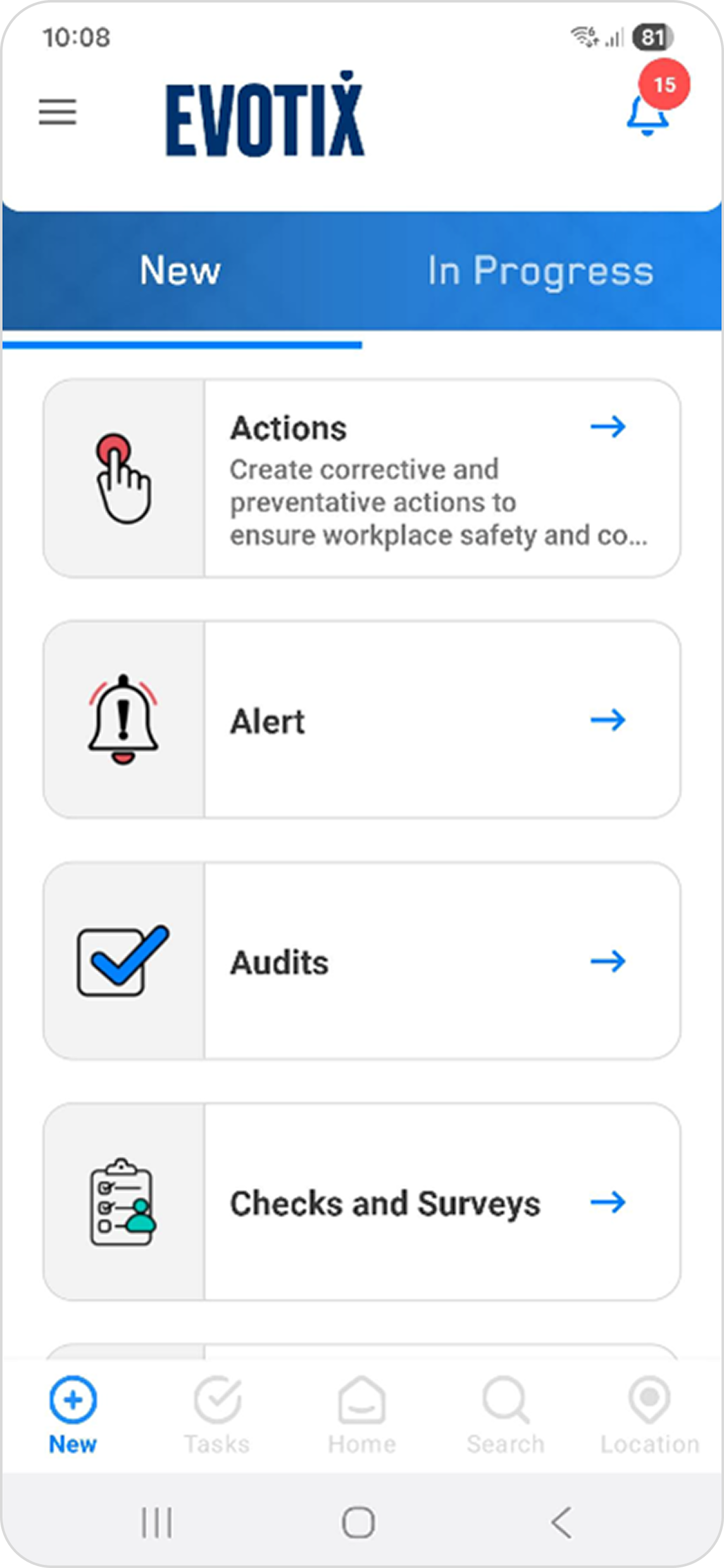
- Add a summary or description to “New record” tiles to help users choose the right form
- Assign different icons to different form types for quicker visual recognition
- Parent/child lookups ensure users only see relevant values based on previous selections
- Placeholder text in fields provides guidance at the point of data entry
- See the count of related records and attachments per questionnaire question
- Mark all notifications as read in a single action
- Landscape mode automatically adapts page and form layouts when devices are rotated, making better use of wider screens (currently available on tablets).
- Roam for Windows is now available via the Windows Store, enabling access to Roam on Windows devices.
Together, these improvements represent a significant step‑change in the Roam experience—reducing friction, improving data quality, and making it easier for frontline teams to get work done quickly and consistently.
Automate recurring tasks with Recurrence
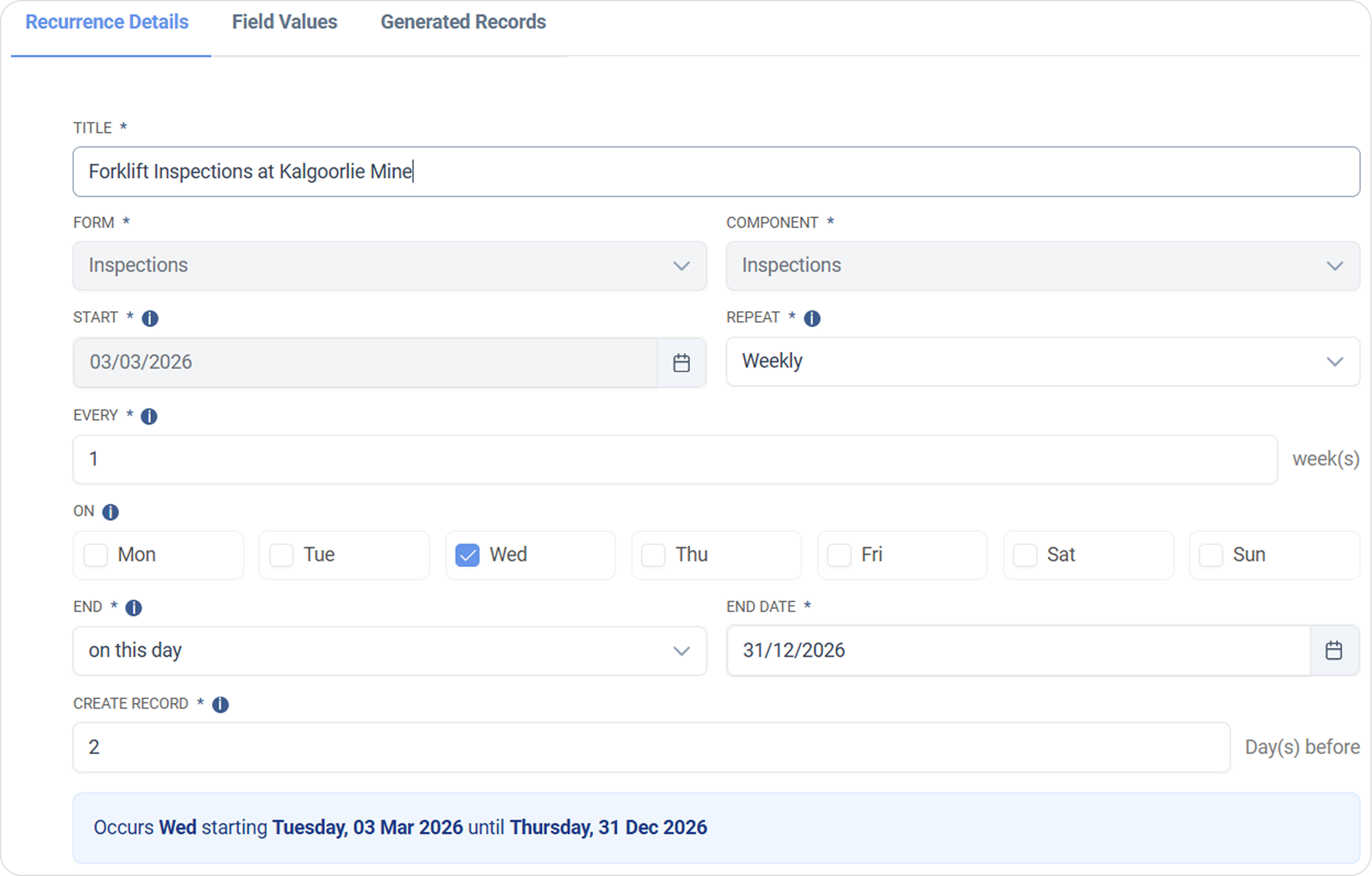
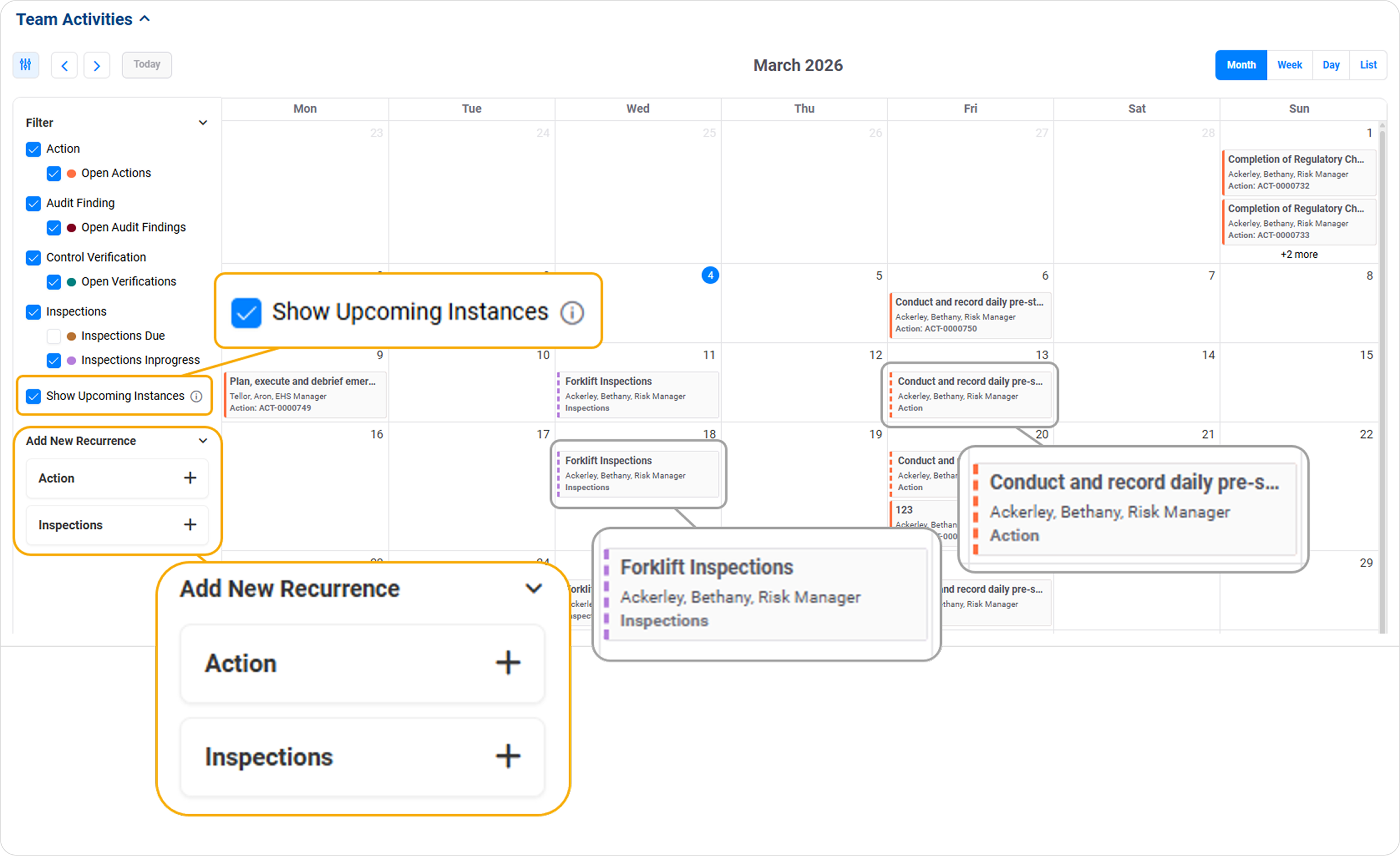
- Easily configure recurring activities aligned to existing modules
- View upcoming activities in a calendar, including future records that haven’t yet been created
- Allow supervisors and SMEs to directly manage their own recurring workflows
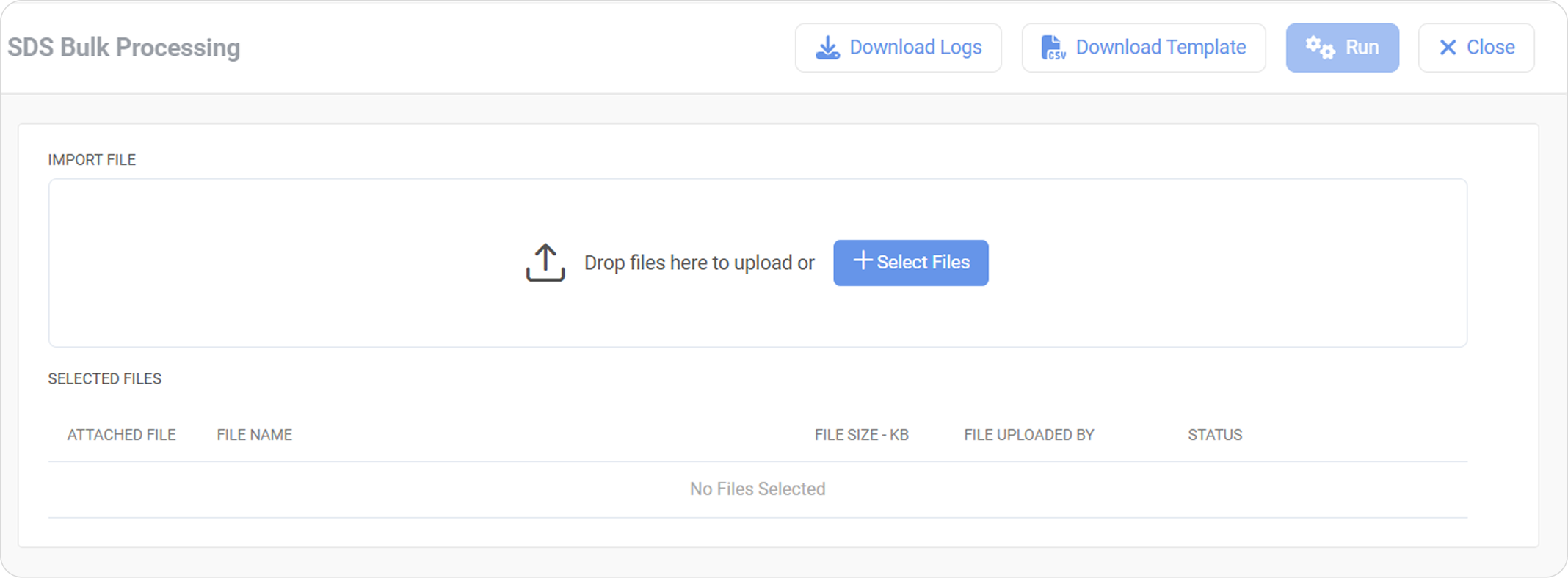
- A modernized Filter dialog allowing filtering to be applied before data is loaded in the Outstanding data entry portals, allowing faster access to relevant records and improved usability.
- A dedicated Import Data tab in the data entry portals streamlining and simplifying the data import experience.
- Daily execution run of system-calculated events for Metrics ensuring data remains accurate and up to date, supporting more reliable frequent reporting and decision-making.
3. Translations & Localization Enhancements
Faster, more scalable localization management
4. Platform Communication & AI Foundations
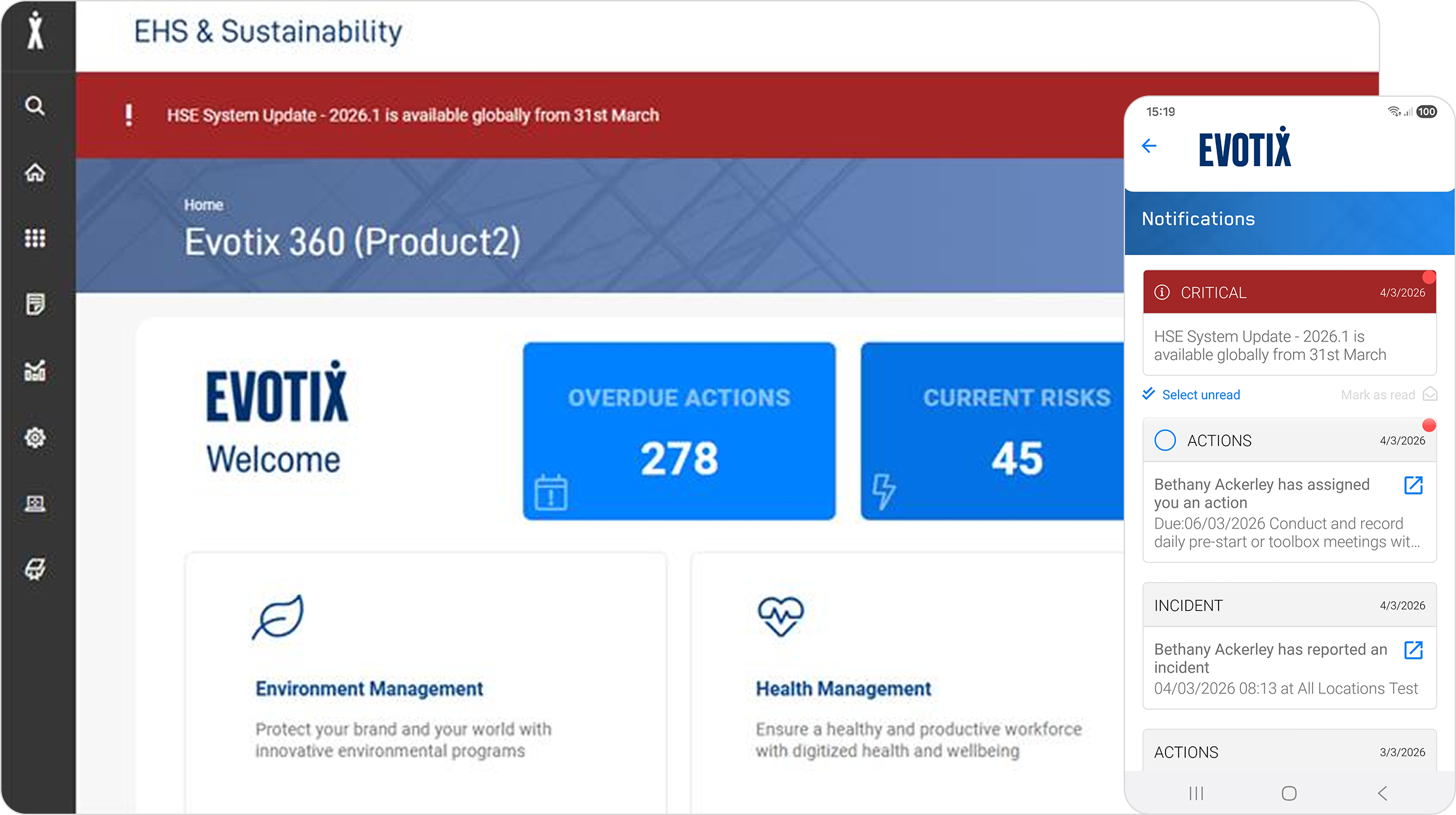
- Messages appear as banners in the web app and as notifications in Roam
- Messages can be dismissible per session
- Broadcasts are automatically translated for users in different locales
5. Contractor Management Improvements
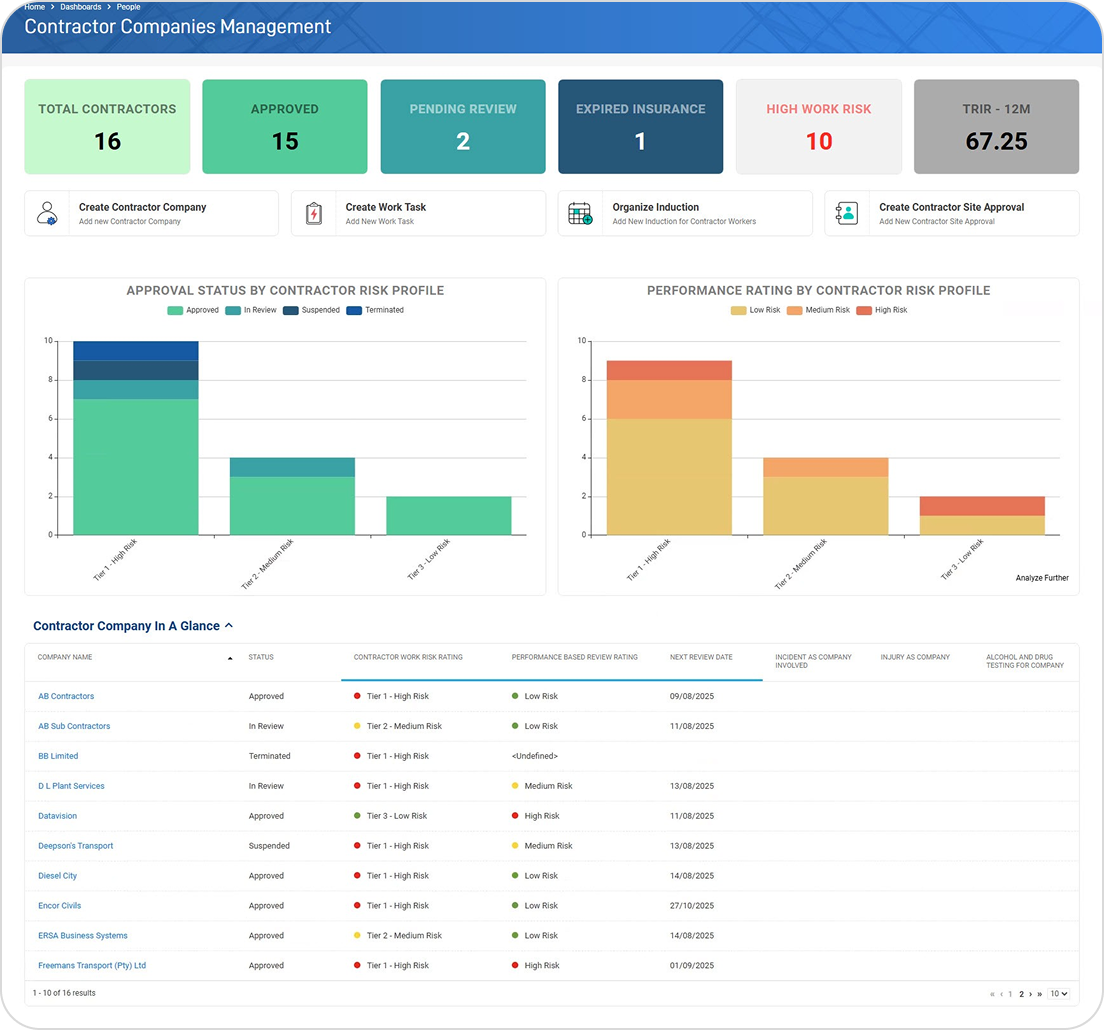
A visual workflow indicator shows exactly where each contractor sits in the lifecycle, helping contractor managers prioritize follow-ups and manage approvals more effectively.
Standardized performance reviews
- Learn more about the latest version:
Understand the changes and how users will use them. Our customer webinar is an excellent start as it highlights the improvements. Second, consider tailored demos to focus on specific areas of interest and do deeper dives.
- Plan the upgrade:
Talk to Evotix’s team and plan the upgrade when your key resources are ready and at a time that suits you. Discuss using the improvements when planning your upgrade.
- Communicate end-user changes:
Understand the changes and support end users by communicating these changes. Evotix can assist with training users as part of an upgrade. Talk to Evotix’s team and plan the upgrade when your key resources are ready and at a time that suits you. Discuss using the improvements when planning your upgrade.
If you are a hosted customer, one upgrade a year is included to ensure you stay on the latest supported version. Reach out to your Customer Success Manager to learn more.
Ready to Learn More?
Get in contact if you have any questions about the upcoming release and would like to discuss it with the team.